
Speaker detection
Speaker detection splits the transcript by person. It runs entirely on your computer and detects the number of speakers by itself.
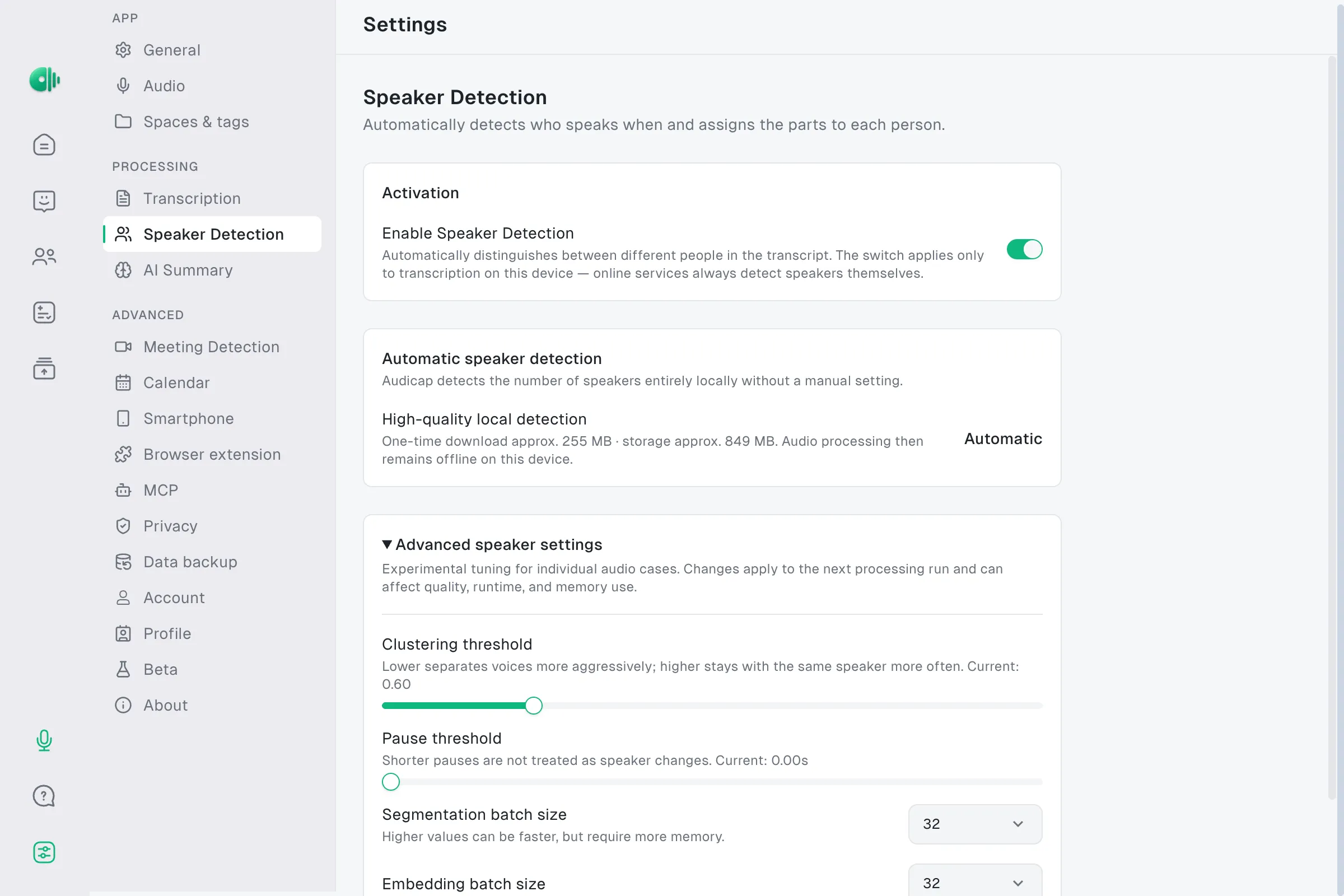
Switch it on and off
Section titled “Switch it on and off”- Open Settings → Speaker Detection.
- Switch Enable Speaker Detection on or off. It is on by default.
The change applies from the next processing run. It does not change finished transcripts.
The one-time download
Section titled “The one-time download”For detection on your device, Audicap downloads components once: about 254 MB on the Mac, about 260 MB on Windows. Audio processing then stays offline on your computer.
If the components are missing, your transcription model under Settings → Transcription shows “Components missing”. Click Download components there.
How many speakers?
Section titled “How many speakers?”You do not need to and cannot set a number: Audicap detects the number of speakers automatically. The speakers it finds are called “speaker-1”, “speaker-2” and so on at first. To give them names, see Assign and rename speakers.
Similar voices and other limits
Section titled “Similar voices and other limits”If two people sound very similar, talk over each other or the sound is poor, detection may merge two people or split one person. This helps:
- Fix single passages: select the text in the transcript and assign it to the right speaker: Assign and rename speakers.
- Merge duplicate speakers: Manage and merge speakers.
- Fine-tuning: under Advanced speaker settings, Clustering threshold sets how strictly voices are separated. Lower separates voices more aggressively; higher stays with the same speaker more often. Pause threshold sets how long a pause must last to count as a speaker change. Then process the recording again. Reset to defaults sets everything back.
Good to know
Section titled “Good to know”- Online services (AssemblyAI, ElevenLabs, Deepgram) always separate speakers themselves, even when speaker detection is switched off here.
- If speaker detection is on but not installed, processing on your device stops with “Speaker separation failed”: Processing failed.