
Meeting detection and calendar
Audicap can notice when a meeting starts in Zoom, Microsoft Teams or Google Meet and offer to record it. With a connected calendar, recordings get the right title right away.
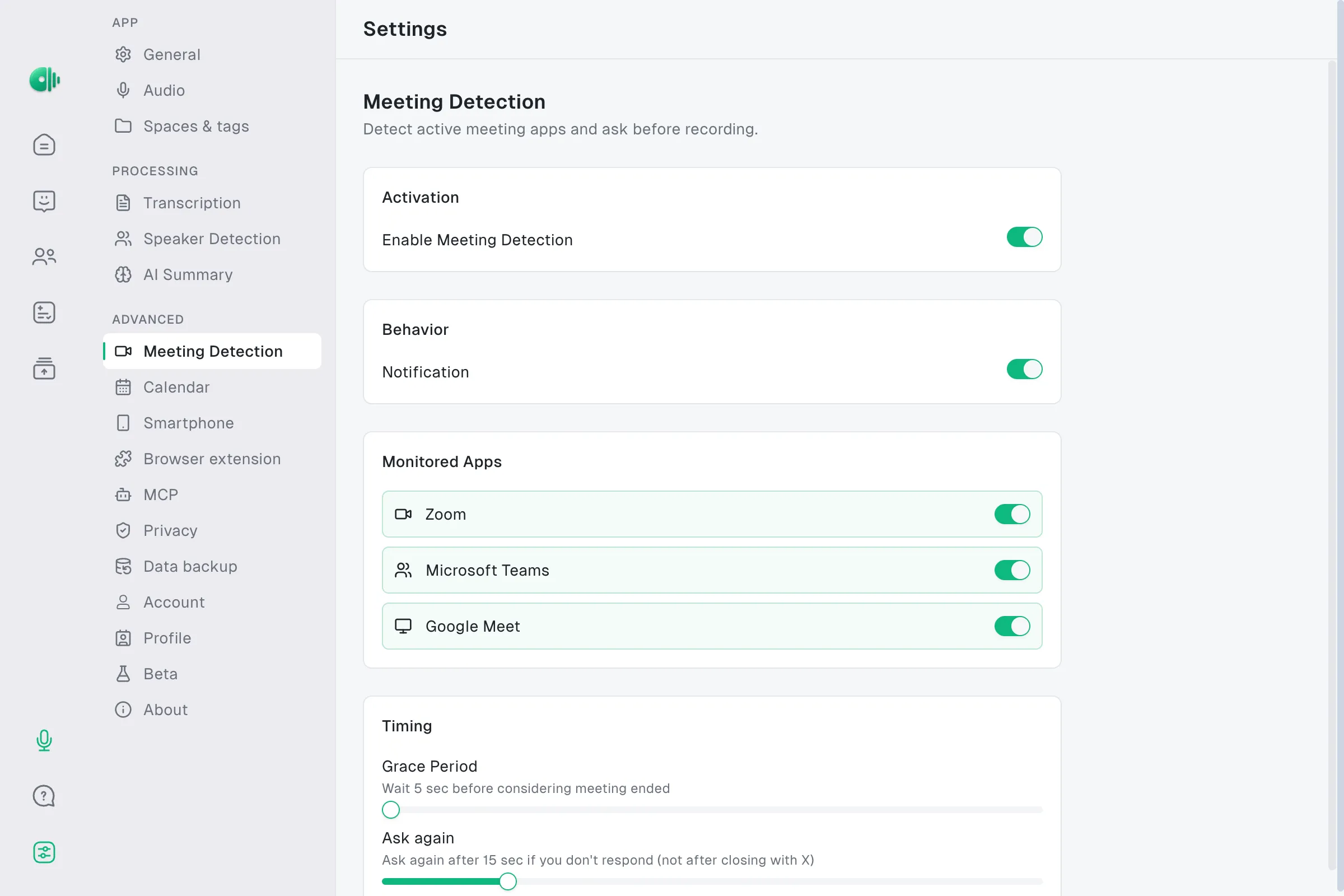
Switch on meeting detection
Section titled “Switch on meeting detection”- Open Settings → Meeting Detection.
- Switch on Enable Meeting Detection. It is off by default.
- Under Monitored Apps, choose which apps Audicap watches: Zoom, Microsoft Teams and Google Meet.
- Notification has to be on for Audicap to ask.
When a meeting is detected
Section titled “When a meeting is detected”Audicap shows a small “Meeting detected” window with the meeting’s title. If Audicap’s main window is in front, the prompt waits until you leave it.
- Record starts the recording, after the consent reminder.
- More actions opens Audicap or the settings, or turns off detection for that app.
- X declines; Audicap won’t ask again for this meeting.
If Audicap records a call in Google Meet or Microsoft Teams in the browser and the browser extension is not connected, it shows the notice “No speaker names from this browser call” once. Connect extension takes you to Settings → Browser extension. There, Open Chrome Web Store opens the listing; install Audicap Meet Companion in Chrome or Edge, then click Connect in Audicap.
When the call ends
Section titled “When the call ends”- Recording from detection: Audicap stops it by itself once the call is over. How long Audicap waits first, you set under Grace Period (5 to 60 seconds).
- Recording started by hand: 30 seconds after the call ends, Audicap asks End the recording too? Without a click, recording continues.
Connect a calendar
Section titled “Connect a calendar”- Open Settings → Calendar.
- Click Connect next to the provider: Google Calendar, Microsoft Outlook or, on the Mac, Apple Calendar.
Audicap reads upcoming events, attendees and meeting links from connected calendars, read-only. Google and Microsoft are only contacted after you connect them; Apple Calendar stays entirely on this device.
What the calendar adds
Section titled “What the calendar adds”- The home page shows your next events under Coming up, with Join video call.
- Detected meetings get title and attendees from the matching event.
- With Recording prompt for running events (on by default), Audicap asks from two minutes before an event starts whether to record, even without meeting detection. For an event with a meeting link, the button says Join & record.