
What stays on your device
By default, Audicap works on your computer. Data leaves it only when you choose a cloud service, or when Audicap talks to its own server, for example for the license and updates.
Feature by feature
Section titled “Feature by feature”| Feature | By default | When data goes out |
|---|---|---|
| Recording | local | never |
| Transcription | local | only with AssemblyAI, ElevenLabs or Deepgram: the audio file goes to the chosen service. |
| Live transcript (Beta) | off | only with the service AssemblyAI (cloud) (Settings → Beta): the audio goes to AssemblyAI during the recording and is processed in the region you set, by default in the EU data zone. More |
| Speaker detection | local | With an online service, the service delivers the speakers too. |
| AI summary | local, with a model in Audicap | only with a cloud provider such as Anthropic, OpenAI, Gemini or OpenRouter: the transcript, with notes if you choose, goes to the provider. |
| Chat | search local, answer from the chosen model | With a cloud model, your question and the passages found go to the provider. |
| AI coach (Beta) | off | only with a cloud model or Ollama: question, conversation, live transcript, speaker names, notes, subject skills and the attitude from 00-coach.md go to the provider, when listening in, even with the coach window closed, at most once a minute the last five minutes for hints and, with the window open, once more a minute for suggested questions; for a hint, up to five earlier hints of the coach from this meeting go along. More |
| Meeting detection | local | never |
| Calendar | macOS calendar local | Google and Microsoft: Audicap fetches events directly from them, not through the Audicap server. |
| Support | only when you ask | Your request goes to the Audicap server. The diagnostics package goes along only if you choose Attach debug info. It is off by default. |
| License | A check with the Audicap server every six hours with account and license data, plus a device ID, the platform and your computer’s name for the device limit. | |
| Updates | Audicap asks for a new version on start and every six hours. It downloads only when you want. | |
| Models | Downloads come from the Audicap server. |
Architecture, data flows and subprocessors are described in the Trust Center.
API keys
Section titled “API keys”Audicap stores keys for online services and cloud providers encrypted with your operating system’s own function. They are in no diagnostics package and in no backup.
No training on your data
Section titled “No training on your data”With Deepgram, Audicap opts every transcription out of the provider’s training program. With OpenRouter, Audicap excludes providers that may train on your data. This applies to summaries and chat. It does not control whether a provider stores your requests.
Voice profiles
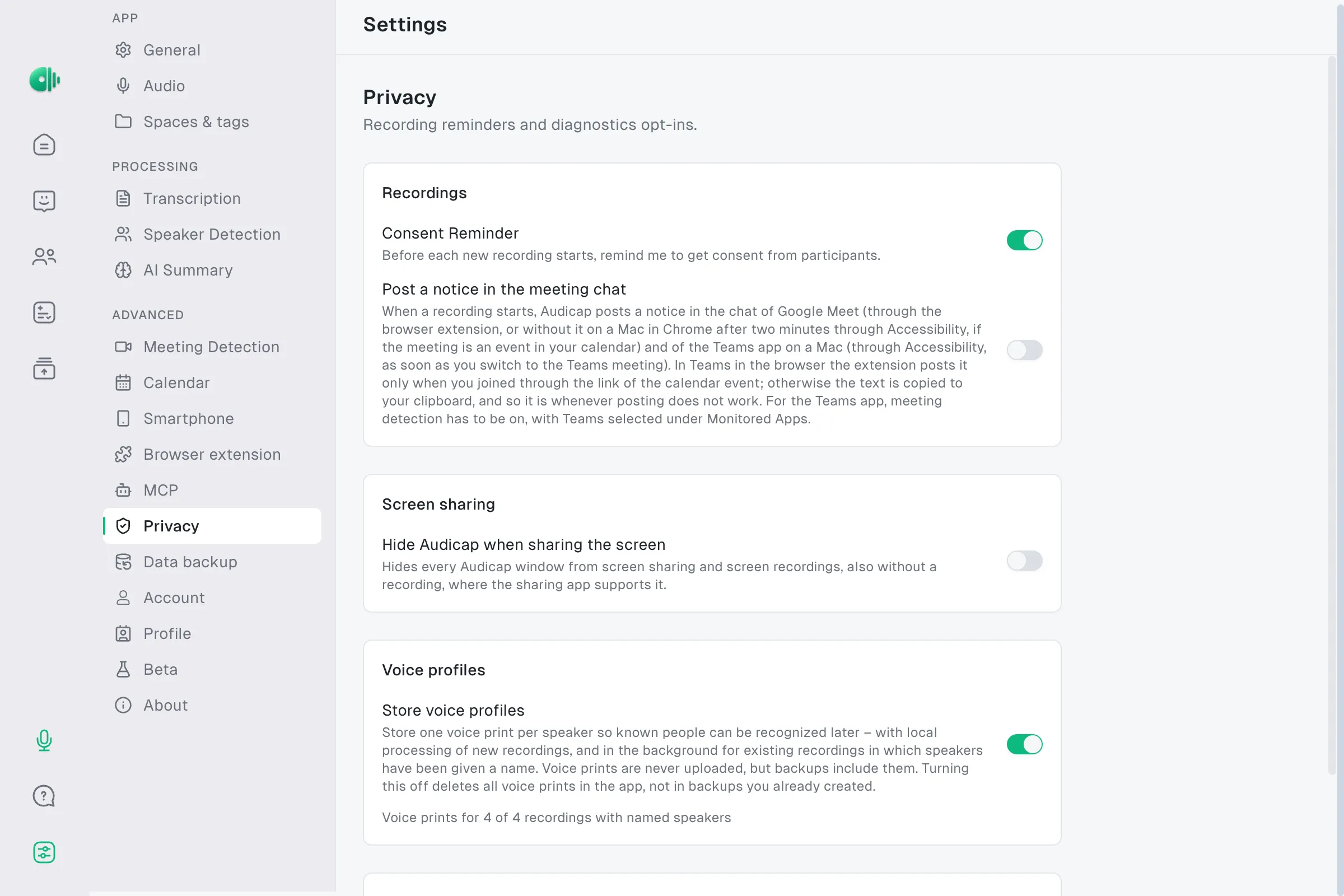
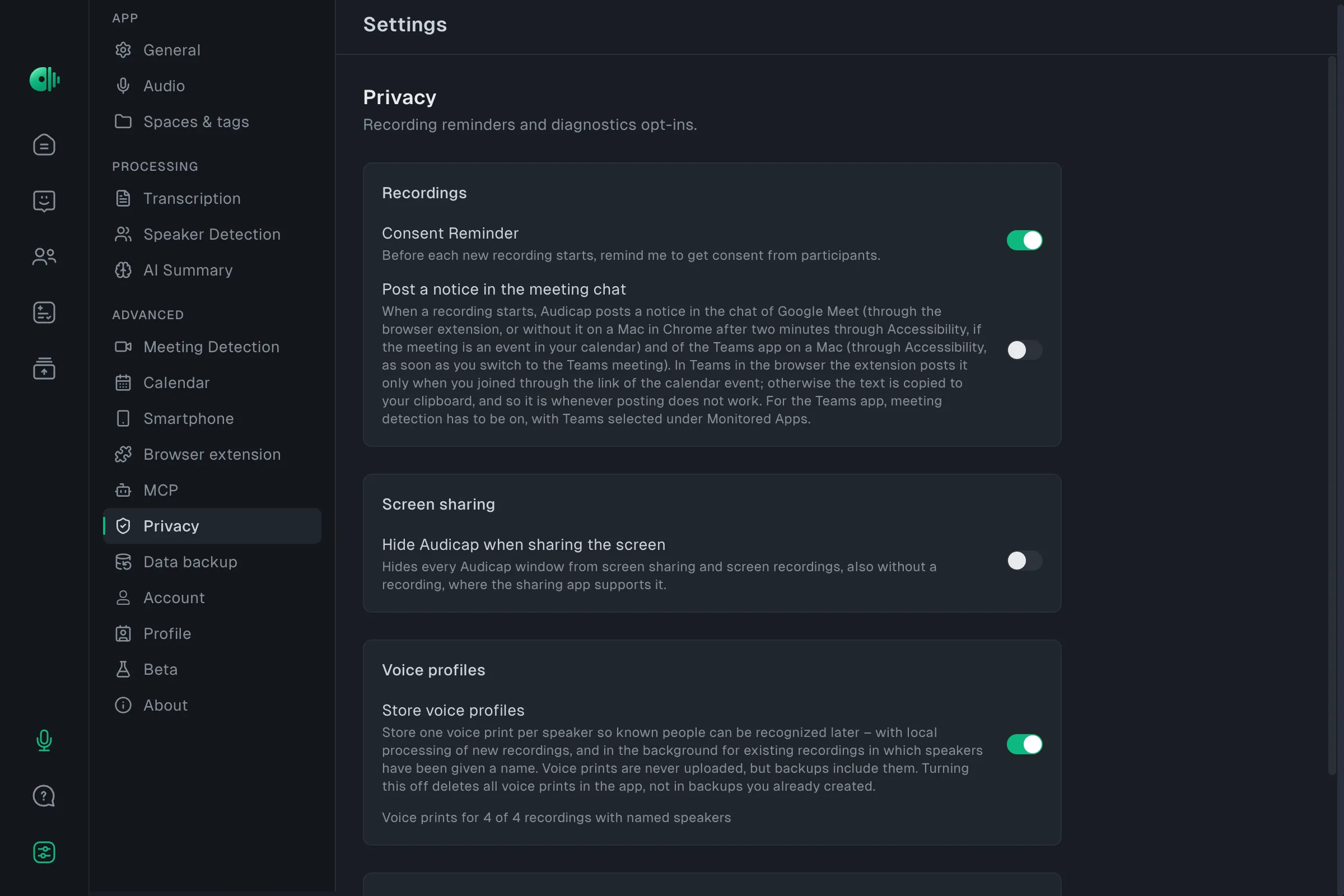
Section titled “Voice profiles”With Store voice profiles (on by default), Audicap keeps a voice print for each named speaker. The prints live in the database on your computer and are never uploaded. Backups include them. Switching off deletes them in the app, not in existing backups: Manage and merge speakers.
Crash reporting
Section titled “Crash reporting”Crash Reporting (Sentry) under Settings → Privacy → Diagnostics is off by default. Only if you switch it on does Audicap send anonymous crash reports.
Good to know
Section titled “Good to know”- The database with transcripts and summaries and the audio files lie unencrypted in your user folder. So protect your computer with the system’s disk encryption (FileVault on the Mac, BitLocker on Windows).
- You give AI assistants such as Claude access to recordings only when you switch that access on: Connect Claude Desktop and Claude Code.