Record and summarize meetings.
No bot in the call.
Audicap captures microphone and system audio directly on your computer and transcribes with local multilingual models. It turns the conversation into ready-to-use notes. You listen, Audicap keeps the record.
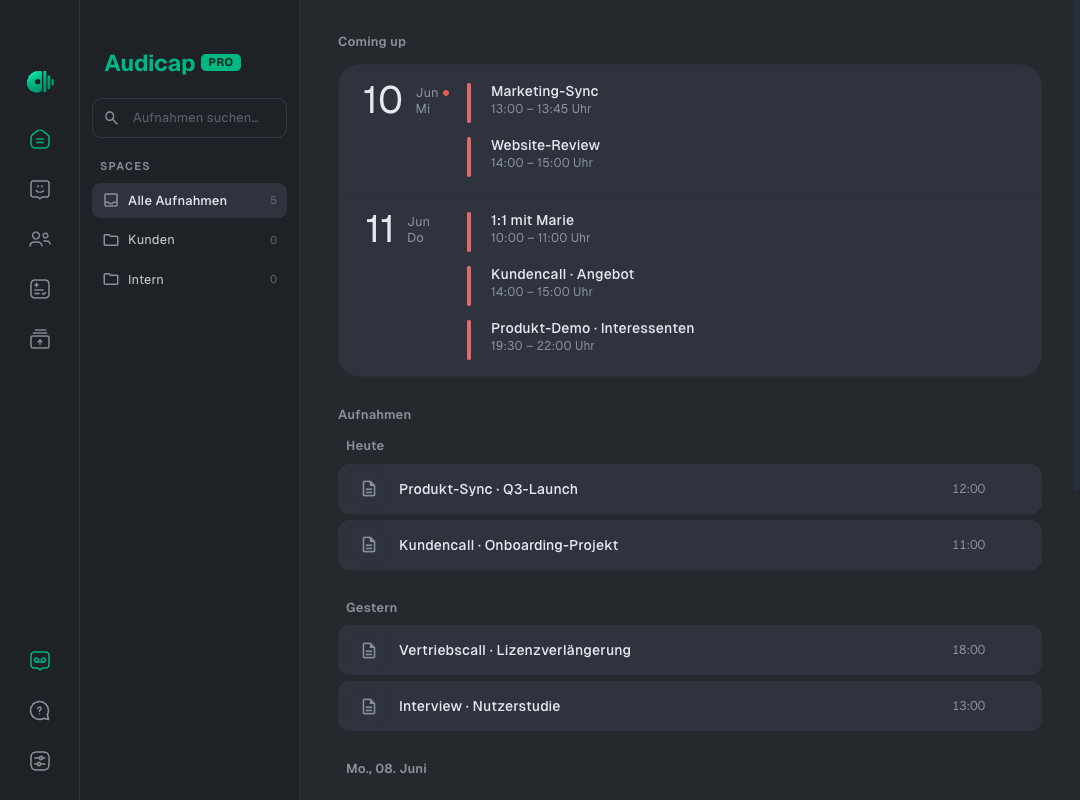
You want to listen, not take notes. Audicap keeps the record. You stay focused on the conversation.
From conversation to finished work.
Audicap records without a meeting bot and processes locally. Add cloud services only when you want them.
Record without a bot listening in
Audicap captures microphone and system audio directly on your desktop. Double-click the transcript to jump to the matching point in the audio. Full-text search finds statements across your archive.
Processed on your device
Recording, transcription and speaker detection run on your device. AI summaries can stay local with Ollama too. Cloud services are added only when you choose them.
Built for multilingual meetings
Analysis on your terms
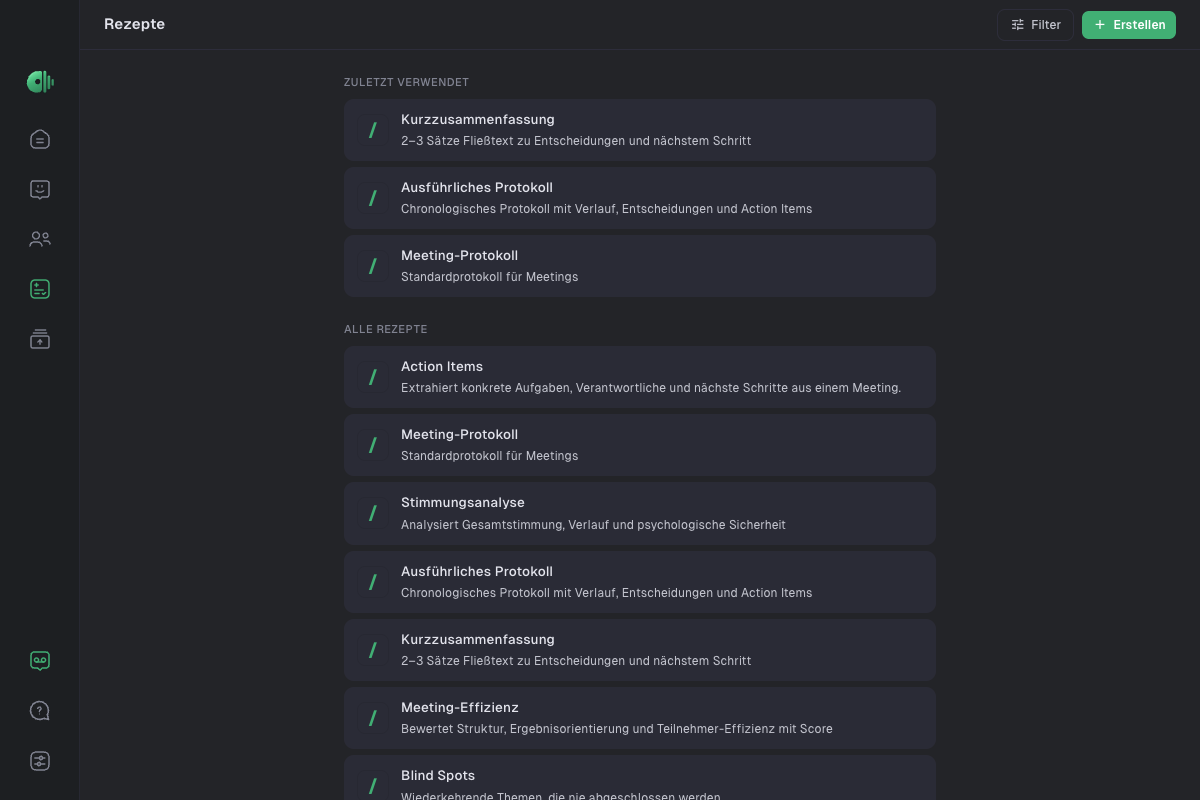
Minutes, action items or a follow-up email: tell the AI what to create from the conversation. Run as many analyses as you need, each with your own prompt.
Open exports, no lock-in
Export as Markdown, PDF or text, then continue in Obsidian, Notion, Docs or your CRM.
Knows when your meeting begins
Audicap recognizes Zoom, Teams, Meet and other meeting apps. When the call starts, the app offers to record. Nothing starts until you click.
Knows your calendar
Connect a Google or Microsoft calendar if you choose. Upcoming meetings and participants appear in the app, and Audicap reminds you before they start.
Audicap reads only calendar names, titles, times, participants and meeting links. It never changes your calendar. The data is used only for these features, stays on your device, and you can disconnect at any time.
Learn about calendar connectionsTake a look inside.
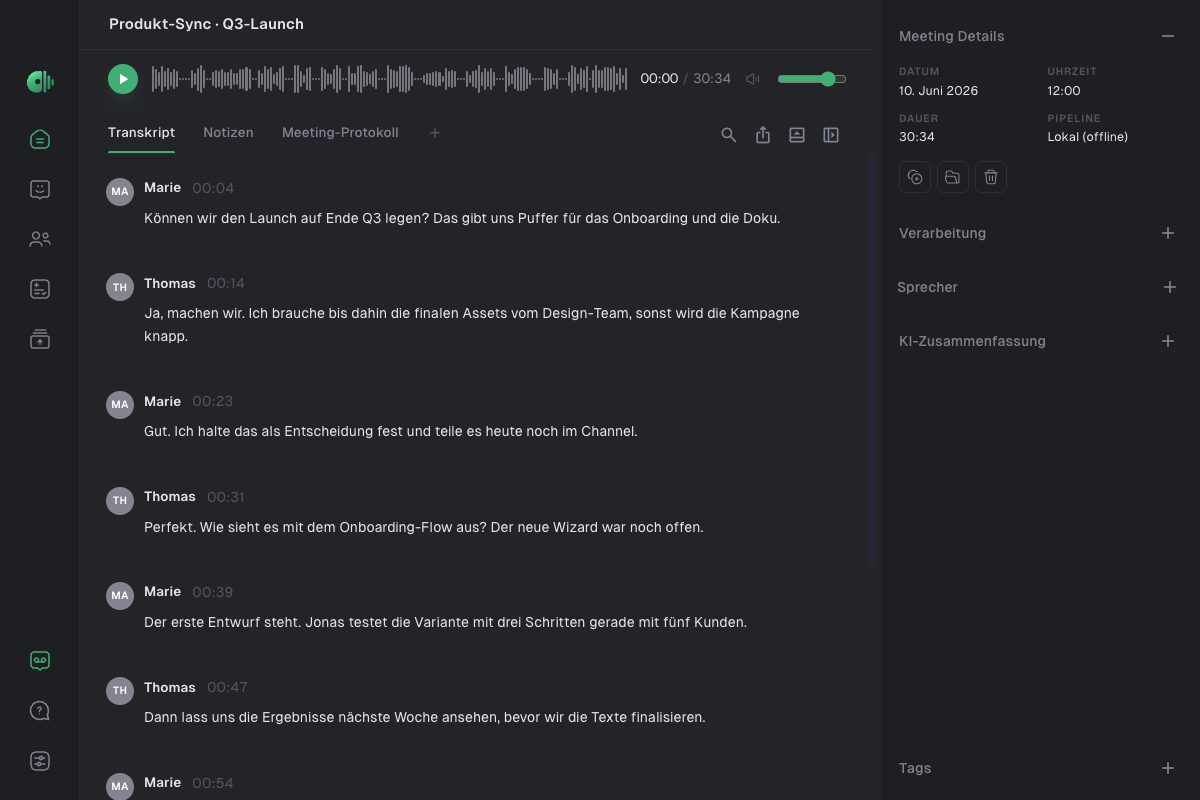
Hand off the follow-up.
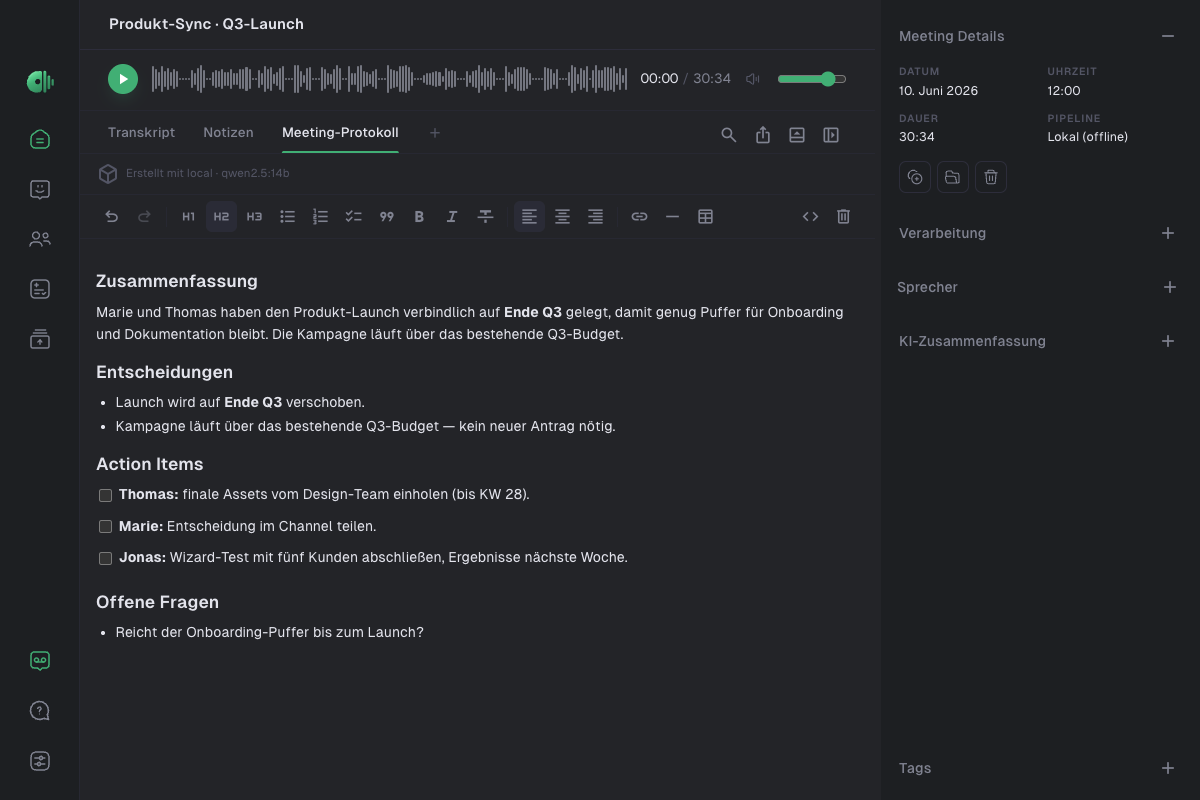
Audicap keeps the full conversation as a transcript. Your prompts turn it into the document you need next, without starting from scratch every time.
More than bullet points
The full transcript remains the source, so the detail you may need later stays available.
Your words, your structure
Describe the points, structure and tone you need. The AI shapes the output around them.
Create once, reuse
Set up minutes, action items or a follow-up email for each meeting type, then apply the prompt to every new recording.
Summarize the conversation as client notes in a formal tone. Cover decisions, budget and timeline, objections and next steps. Clearly flag open items for the proposal.
- Decision: The launch moved to the end of Q3.
- Budget and timeline: Delivery in Q3, assets due week 28.
- Objection: Is the onboarding buffer enough?
- Next step: Add the open items and send the proposal.
More accuracy when you need it.
For demanding recordings, choose one of three leading cloud engines. All support multilingual transcription and speaker separation. Billing goes directly through your own API key, with no Audicap markup.
Universal 3.5 Pro covers 18 languages and regional variants. For broader language coverage, Audicap automatically falls back to Universal 2 with support for 99 languages. Speaker diarization runs in the same pass.
Scribe v2 transcribes more than 90 languages, detects the language automatically and separates up to 32 speakers.
Nova-3 detects the language automatically and returns the transcript, timestamps and speaker separation in one pass.
Use Claude, GPT, Gemini or OpenRouter. Keep summaries local with Ollama, or connect an OpenAI-compatible endpoint such as Amazon Bedrock in an EU region or your own server. Audicap always shows whether processing is local or in the cloud. It never switches silently.
Try it free for 14 days. Your meetings belong to you.
€79.99 / year
- 14-day full-featured trial: starts with your registration. No payment method required.
- Unlimited local transcription: Parakeet and Whisper run directly on your device.
- Your own AI prompts included: adapt templates for minutes, action items and follow-up emails to your workflow.
- Meeting detection and calendar: Audicap reminds you when a meeting begins and offers to record.
- Cloud when you need it: use your own API key and pay the provider directly for usage.
Prices include VAT · Cancel anytime · macOS 12+ · Windows 10/11 · one license, two devices
Frequently asked questions.
Am I allowed to record meetings with Audicap?
That depends on the context and the rules that apply to you. Audicap never starts recording automatically. Before each recording, the consent reminder (on by default) prompts you to confirm that participants have agreed.
Does my data stay local?
Yes, when you use local processing. Transcription runs on your device, and AI summaries can stay local with Ollama too. Cloud backends are used only when you add your own API key and select them. Audicap never switches to the cloud without telling you.
Can I use Audicap in a GDPR-compliant setup?
Audicap is designed for it. In local mode, recordings and transcripts stay on your computer. Summaries can run locally with Ollama as well. If you want to use a cloud service, you choose the OpenAI-compatible endpoint, such as Amazon Bedrock in an EU region or your own server. The right setup depends on your requirements.
Which languages does Audicap support?
For local transcription, Parakeet V3 Multilingual covers 25 European languages. Whisper Large V3 Turbo Multilingual detects the language automatically, so you can choose the model and language mode that fits each recording.
Can I adapt summaries to my workflow?
Yes. For client calls, interviews, 1:1s, sales calls or standups, you choose the points, structure and tone of the output. Once you create a prompt, you can apply it to every new recording.
Can I import existing recordings?
Yes. Drop a file into Audicap or choose it in the file dialog. Audicap supports M4A, MP3, WAV, FLAC and other formats, so you can transcribe interviews, dictations and older recordings too.
Which meeting tools does Audicap work with?
Any tool whose audio runs through your computer. Audicap captures system audio and microphone directly on the device, without a dedicated integration or meeting bot. Automatic detection recognizes Zoom, Teams, Google Meet, Webex, FaceTime and Slack.
What does Audicap cost?
Audicap Pro costs €9.99/month or €79.99/year, including VAT. After registration, you can try every feature for 14 days without a payment method. You can cancel at any time, effective at the end of the billing period. Unlimited local transcription is included. Optional cloud services use your own API keys.